
| Home • Previous page | Do you use a pop-up blocker? If so, please read this. |
July 24, 2005 |
WTVN Radio • Columbus, Ohio Sunday morning from 8 until 9 |
| Important disclaimer: | |
Movies on my (Mac) desktopWatching a DVD on a computer isn't exactly new technology. Both Mac and Windows computers have had the ability to play a DVD for several years. Both Windows and Mac computers come with applications that can display a DVD; both have add-on applications with extra features. Trans Lucy from Startly Technologies (Mac only) brings to the desktop a feature some people will think is astoundingly great and others will think is astoundingly stupid: Trans Lucy makes it possible to watch a DVD transparently over (under?) whatever else you're working on. My younger daughter, the Mac freak, sometimes has a DVD window, a chat window, an e-mail window, a browser, and one or more work windows open. The DVD image is usually about the size of a postage stamp in one of the lower corners of the screen. The folks at Startly sent me a copy of Trans Lucy to test and I thought I'd get the Kaydee rating. "Hey, kid!" I said, "Take a look at this." I then showed her a full-screen DVD movie running intermingled with a Word document. She flipped. Well, not literally, but she was quite impressed. I think the technology is incredibly cool, using the OS X transparency capability. I'm not sure how well I could work with a video overlaying my primary document. I suppose it depends on how much attention the main task requires. If I'm reading and answering e-mail messages, the movie probably wouldn't get in the way. But if I'm working on a marketing strategy for a new product, distractions might not be welcome. As with so many other things in life, it comes down to a question of common sense. And then I noticed "CE Software"Startly Technologies used to be known as CE Software. No wonder this is a cool application! I thought to myself. (If you think something, is there anyone else you could think it to?) This is the company that makes QuickKeys, an application that lets you create shortcuts to automate repetitive tasks. So no wonder Trans Lucy is a winner. You're not limited to full-screen videos, either. Choose small, medium, or full-screen and make any of the views nearly transparent or fully opaque. If you're watching a movie you've seen several times, you might allow it to be all but fully transparent most of the time, but make it fully opaque by moving your mouse over the Trans Lucy controls for scenes that are particularly memorable. The many faces of TransLucyHere's TransLucy in operation. To see full-screen images from my Mac, click the smaller images here:
Less than you need for more than you should payIf you're looking for a digital camera, here's one you should avoid. I've been seeing the ad in various publications and I noticed that it doesn't exactly lie about what's being offered, but it doesn't exactly tell you the entire story, either. Let's take this ad apart. (Click the image for a larger view.)
(2) "This camera has 3X the detail-resolution of many digital cameras." Which cameras? What the hell is a "digital-resolution"? (3) "[U]p to 8x digital zoom ..." In other words, there is no optical zoom. Digital zoom is useless and does nothing but degrade the image quality. (4) "Yet it has an amazing 16MB of built-in flash memory to store up to 160 photographs depending on resolution." That's amazing, all right. Even the cheapest cameras these days come with at least a 32MB memory card. As for 160 photos in 16MB, that works out to 100K per image. That's a far cry from the "10 mega pixel" resolution that the ad prominently promises. (Note to Hell+Bowel: It's "megapixel" not "mega pixel". Or maybe they mean the individual pixels are really big.)) (5) They expect the inventory to sell out fast. See P.T. Barnum's analysis of the average American for the reason that this might be so. (6) The camera "uses interpolation" to achieve 10.0 "mega pixels" yet can fit 160 images in a puny 16MB of built-in memory. (7) This is a reminder that the camera offers only "digital zoom", which is useless, instead of "optical zoom". (8) They'll even throw in a tripod and a carrying case worth $30. You can see the picture of the tripod. It's worth next to nothing because it's a desktop toy-tripod and the carrying case is probably of quality equal to the camera. A $300 digital camera? Despite what the headline says, it's a most beatable price.Yes, you can get a digital camera for $300 and it'll be a decent camera. It won't be a 10 megapixel device, but it will be adequate for enlargements up to about 8x10.
Any of these cameras would be far, far superior to the $300 camera that Hell+Bowel claims is such a bargain. Even if their camera does manage to create a 10 "mega pixel" image, pixels aren't everything. If the pictures you want to take will never be printed larger than 5x7, you'll do fine with a 3 megapixel camera and you'll find those for $100. Use the extra $200 to buy useful features (optical zoom, more memory, robust features) and stay away from overprices pieces of crap that an ad writer spins half-truths about.
You say "mouse"; I say "Logitech"At the office I have a Logitech MX500 mouse that matches the MX500 mouse I have at home. I like it because it has scroll up/scroll down buttons, a scroll wheel with a click function that I can assign to be a double-click, forward/back buttons that are helpful with Web browsers, and a task-switch button that I hardly ever use. I take the Mac Powerbook to the office regularly and I decided that it needs a better mouse than the Microsoft Notebook Optical mouse. So I took the MX500 from home to the office. That left the home computer without a mouse. Now what? I'd gone to OfficeMax for some glue, envelopes, and scissors. I brought back all of those things and a Logitech MX1000 Laser cordless mouse. The second thing I noticed about this mouse (the first thing I noticed was that it didn't have a cord) was its ability to work reliably on top of my Wacom tablet. With limited desk space, I can use one or the other, so I use the mouse on the tablet when I need the mouse. The MX500 needed a mouse pad on top of the tablet, which made it a pain to use the tablet. I had to move the mouse and the mouse pad. I removed the mouse pad and tried the MX1000 on the tablet. Perfect! Maybe I'll use the tablet more now.
But the button on this mouse wobbles. I can push it left or right. The mouse isn't defective -- the wheel use left and right pushes to scroll horizontally. Good website design eliminates any horizontal scrolling, but I run across the occasional site that has been designed by a cretin. And when I'm working in graphics applications such as Photoshop, this is a very cool function. The problem is that the "wobble" function comes at a price. Pressing the wheel is difficult and invariably the press also activates the scroll function. The result, if I'm trying to drill down through directories, is that the cursor usually scrolls to the wrong directory. I tried reassigning the wheel click to the "cruise up" function and the forward part of the top rocker switch (the one that's the "cruise up" function by default) to be a double click, but I didn't like that, either. With cruise up back on the front part of the top rocker switch, I assigned the button to "zoom". Although I miss having a double-click button, this mouse's other functions make up for that shortcoming. On the side of the mouse, there's another rocker switch. Pushing the rocker's back button should take me back, but it doesn't in Firefox. I thought it was defective. Once you've gone back, pressing the rocker at the front of the mouse should go forward. That doesn't work, either. I visited Logitech's website to look for a support e-mail, but got sidetracked by a troubleshooter function. I told the website the model number of the mouse and typed "back button" in the search field. One of the responses offered was "How do I make the Back & Forward mouse buttons work in Firefox & Mozilla?" Before following that link, I opened Internet Explorer and confirmed that the back and forward buttons work just fine there. If you use Firefox and want the functions, you'll need to re-define forward as Alt-Right and back as Alt-Left. The functions still work in IE, so I wonder why Logitech didn't just define them that way in the first place. I didn't have to make any changes to the forward/back buttons on my MX500. That leaves the task-switcher, which has been moved from behind the scroll-down button to the middle of the rocker switch on the left side of the mouse. It's easier to use there and I might actually use it now, although Alt-Tab is probably still the fastest way to move from task to task. Maybe I'll define that button with some other more useful function. This is not an inexpensive mouse. OfficeMax's price was $80 and I could have bought it on-line for about $60, but I had a $10 coupon, so the actual price was $70. Not having to wait a couple of days for the mouse to crawl in through my mailbox may have been worth the other $10. Oh ... and the mouse pad. It's back. As it turned out, the digitizing table has enough irregular edges that it confused the mouse.
Nerdly NewsHere's one for the good guysPolice in Spain and elsewhere have made hundreds of arrests in what is probably a hopeless attempt to break up what's known as "Nigerian 419 Scams". The 419 is the section of the Nigerian legal code that deals with the crime. Most of the current arrests were made in and around Málaga, Spain. Of the 310 people who were arrested, most are Nigerian nationals. The arrests bring to more than 700 the number of people arrested in connection with the investigation since 2003 in Spain. The gang took in something like $200 million per year from gullible people who believe, among other things ...
The suckers who reply are eventually tricked into sending money. Then they're asked to send more. And more. And more. Those who bit hard enough were invited to Spain, put up in expensive hotels, and shown chests full of fake dollar bills. Going far beyond the usual Internet scam, this gang was mailing about 18,000 letters a day. Police say that about 1000 people worldwide reported falling for this gang's tricks last year and lost an average of about $20,000 each. Police say the actual number of suckers is probably 10,000 or more annually. Victims came from mainly from the US, Canada, Japan, Australia, Saudi Arabia, and the Persian Gulf states, but the gang had "clients" in many other countries. Near the end of the investigation, Spanish police intercepted 150,000 in 9 days. Other arrests have been made this week in Australia. The Australian police say the con is easy to set up and it's hard for police to catch the criminals because the victims are usually from another country. No more "Moo"The next version of Windows has been code named "Longhorn", but now it has an official name (Windows Vista) and a projected release date for the first beta version (August 3). Microsoft's Neil Charney, who heads product management in the Windows Client Group, said (apparently with a straight face) that the new name speaks to Microsoft's goal of "providing clarity to your world and giving focus to the things that are important to you." These are words the marketing department wrote, not words that the software engineers wrote. Continuing, Charney said that Windows Vista provides your view of the world and puts you in control. Do you hear the orchestra sweeping in under his words? If you're not a hard core developer, the first beta version isn't for you. Microsoft Developer Net members and Microsoft TechNet members will be able to obtain copies. The second beta release (no date scheduled) will be for end users who want to get an advance look. Let us know what you think. Write to:
|
 |
Have a question? Ask it and you might pick up a prize for stumping the chump. Send your question to . And ... good luck! |
Privacy Guarantee:I HATE SPAM and will not sell, rent, loan, auction, trade, or do anything else with your e-mail address. Period. |
Is this information useful? |
|

Joe(Photo by Sally) |

Bill(Photo by Scampi) |
|
As if you didn't already get enough weather on the radio! This is the only ad you'll ever see on this site. It's for my website host, BlueHost in Orem, Utah. Over the past several years, they have proven to be honest, reliable, and progressive. If you need to host a website, please click the banner below to see what BlueHost has to offer. Annoying legal disclaimer [an error occurred while processing this directive] |
||
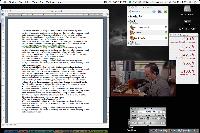
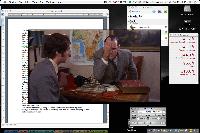
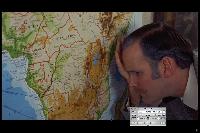
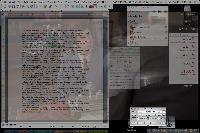
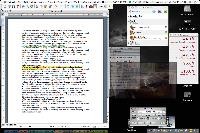
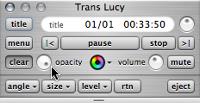
 NINE CATS: This is an incredibly cool application. It's easy to allow a DVD to distract you, but that would happen no matter how you choose to view it. See the
  The ad is from a company we'll call Hell+Bowel (not the company's real name). They're offering the camera for $300 (1) and suggesting (but not claiming) that it might actually be worth three times that. It's not.
  NO CATS: If you want a cheap digital camera, buy a cheap digital camera. If you want to pay $300 for a digital camera, buy a camera that's worth $300. This camera looks like a loser on all counts.
 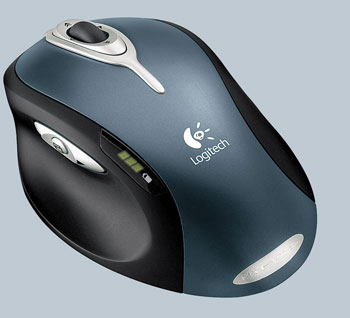 The buttons are arranged differently on this mouse. Left- and right-click are where you'd expect them to be. The scroll wheel is where you'd expect it to be. The factory default uses the scroll wheel click to be "universal scroll", which I've never found a use for. The mouse already has scroll buttons, so I'd like the button to be a double-click. No problem, I thought . The control panel lets me assign that function to the button.
 SEVEN CATS: As mice go, this is one of the best I've ever had. It's a bit on the heavy side because of the battery and I miss a workable double-click button. Still, it feels good and works well. See the

