
WTVN Radio • Columbus, Ohio • Sunday morning from 8 until 9
Who's in the corner?
Is this information useful? If so, consider
making a contribution, please.

|
|
WTVN Radio • Columbus, Ohio • Sunday morning from 8 until 9 |
|
| Home
• Previous
page Who's in the corner? |
Is this information useful? If so, consider |
|
| |
Sunday, April 25, 2004 |
Random thought:
|
 |
|
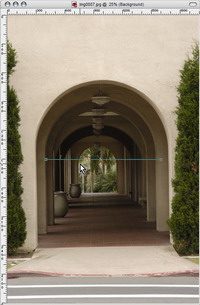
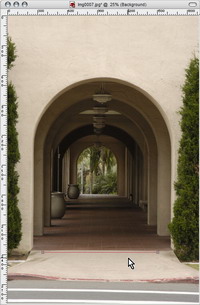
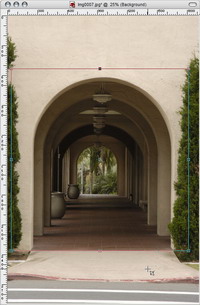
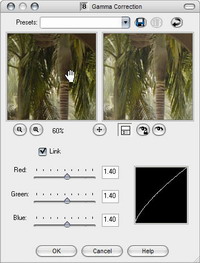
Jasc Paint Shop ProIf you think about editing photos, the first program to come to mind is probably Adobe Photoshop, but Photoshop is an expensive program that might be difficult to justify unless you use the application professionally. Price is one reason Jasc's Paint Shop Pro is popular, but low price doesn't tell the whole story. Paint Shop Pro comes with some features that not even the high-priced programs can match. Number 1 on the "can't touch this" list is image straightening. Unless you're willing to carry a tripod and a level with you everywhere you go, there's a good chance that you'll occasionally create a picture in which the horizon line isn't horizontal. With most programs, you have to choose an image modification setting, drill down a couple of levels, and then guess how much off the image is. I've done this enough that I can usually guess the right amount on the first or second try, but it still involves guesswork. Wouldn't it be easier to just choose a "straighten" tool, mark something in the image that should be horizontal, click an icon and -- PRESTO! -- have a straight image? Jasc Paint Shop Pro lets you do exactly that. And this isn't a $300 application. If you're a new user, it'll cost you about $100. And if you're upgrading from a previous version, you can buy direct from Jasc and get a $30 discount or buy from a retailer and submit the $30 rebate certificate. Click on any of the images to see a larger view.
Paint Shop Pro Power Suite comes with Photo Album 4, which I reviewed several months ago, Animation Shop, and some add-on creative effects. While the power suite lists at $150, it's currently on sale for just $120. That's quite a value. But to get back to why you might want to spend a few bucks to buy Paint Shop Pro: Consider the "erase backgrounds" feature that finds the edge between the foreground image and the background, then erases the background. This isn't magic and you'll have to work with the feature for a while to understand the settings, operation, and limitations, but it's a surprisingly powerful function. As with most photo editing programs Paint Shop Pro comes with numerous effect filters, but it also comes with an "effects browser" that allows you to see thumbnail samples of each effect. If you're looking for "something" to make the image stand out, this is a good way to do it. (Don't overuse it. Technique and effects won't make a bad image good.) Correct (or create) distortions. Paint Shop Pro has corrections that will fix pincushion, fisheye, and barrel distortions or -- if the image doesn't have these problems -- add them. And if your photo isn't warped, you can warp it. If you liked using Silly Putty to pick up newspaper pictures and then stretch and squash the image, you'll love Paint Shop Pro's Warp Brush and Mesh Warp. You can stretch, shrink, twist, or push an image. Version 8 has added some powerful natural media brushes and you can create your own and save it for future use. The holy grail of image editors is combining vector and bitmap images. Paint Shop Pro doesn't lag in this area, either. An image may have several layers -- some bitmaps and some vector. This is of particular importance if you have to place text on an image. Text is Paint Shop Pro's biggest weakness, and always has been. Instead of typing directly on the image, the user must type text in a dialog box. This is a minor weakness, but still I keep hoping that the "next version" will act like Photoshop or PhotoPaint. At least in version 8 you see the text on the image as you type in the dialog box.
For more information, visit the Jasc website. Internet Explorer attacked by dragons, operasMicrosoft's Internet Explorer isn't the only Web browser worthy of merit these days. If you don't mind having half a ton of trash shoveled onto your disk drive, Netscape is worth a look. Better choices might include Mozilla (the open-source code on which Netscape is based) and Opera, the browser from Norway. All of the browsers are free with the exception of Opera, which operates in paid mode without ads or in free mode with small ads. Despite Microsoft's sincere efforts to make their applications more secure, it's no secret than the miscreants of the world aim their attacks at Microsoft's browser because it's used by more people than all the other browsers combined. I've set up Mozilla as my "default" browser -- the one that opens when I click a link -- because it seems to be the most reliable and least annoying of the browsers. Having said that, I also must point out that I use Opera more than Mozilla. That's because every morning I start up Opera with about a dozen websites that I use frequently already open. I have immediate access to these sites. In many cases, I use Opera to open new sites, but Opera has continued to have certain "performance anomalies" (a/k/a "surprising features", a/k/a "bugs") that can get in the way. Mozilla seems to be able to handle just about anything a website can throw at it. And when both Opera and Mozilla are unable to handle a particular site for whatever reason, I have Internet Explorer ready to launch. MSIE has the best display and this is because many (most?) websites are optimized to run in MSIE. When website developers fail to test their sites with other browsers, the result is sometimes a site that will work properly only with MSIE. So even if you could easily removed MSIE from your computer, you wouldn't want to. Two new versionsBoth Opera and Mozilla have released new versions recently. Opera has made the most progress with some appearance fine-tuning and some new capabilities that allow it to display sites that previously caused trouble. In addition. While Mozilla can be set up to provide tabbed browsing, Opera's default is tabbed browsing that that's one of my favorite features. When I open Opera, I immediately have access to GoodbyeSpam, The Technology Corner website, the Computer Emergency Response Team (CERT), One Look (dictionaries), Google, Comics Extra, two list management sites at Indiana University, the Urban Legends website, Zap2It, and a blank page.
|
||||||||||||||||||||||||||||||||
Technology corner rating for OPERA 7.5 (BETA) |
|
 |
NINE CATS: If this is beta software, I can't wait to see the final release code. Most of the problems I found in previous versions are gone, performance is faster, new tools are present, and all the good features that Opera used to have are still there. |
| How the Technology Corner rating system works. | |
Technology corner rating for MOZILLA 1.6 (STABLE) |
|
 |
EIGHT CATS: Progress with Mozilla has been slow, but steady. Version 1.7 (now available as a release candidate for testing) looks good. Those who are concerned about security problems with Microsoft's browser have two strong choices. |
| How the Technology Corner rating system works. | |
Additionally, Netscape 7.1 is available (and looks a lot like Mozilla with about two tons of gaudy make-up). Mac OS X users should also look at Safari, the browser that's being supported by Apple. Safari still isn't quite ready to be the only browser on a Mac, but Mac users don't have to settle for the geriatric version (5.2) of Microsoft's Internet explorer, either. In addition to Safari, Mac users should look at Opera, Mozilla, and Netscape.
Is this the end of the Internet as we know it? From the sounds of some of the "Chicken Little" coverage, it would seem so. When I start seeing panic-attack coverage, I like to take a look at a sober assessment of the problem. A good source is the Computer Emergency Response Team (CERT) at Carnegie Mellon University. Here is their report:
Systems Affected: Cisco routers and switches running vulnerable versions of IOS. (Long list of specific routers redacted.)
There is a vulnerability in Cisco's Internetwork Operating System (IOS) SNMP service. When vulnerable Cisco routers or switches process specific SNMP requests, the system may reboot. If repeatedly exploited, this vulnerability could result in a sustained denial of service (DoS).
The Simple Network Management Protocol (SNMP) is a widely deployed protocol that is commonly used to monitor and manage network devices. There are several types of SNMP messages that are used to request information or configuration changes, respond to requests, enumerate SNMP objects, and send both solicited and unsolicited alerts. These messages use UDP to communicate network information between SNMP agents and managers.
There is a vulnerability in Cisco's IOS SNMP service in which attempts to process specific SNMP messages are handled incorrectly. This may potentially cause the device to reload.
Typically, ports 161/udp and 162/udp are used during SNMP operations to communicate. In addition to these well-known ports, Cisco IOS uses a randomly selected UDP port in the range from 49152/udp to 59152/udp (and potentially up to 65535) to listen for other types of SNMP messages. While SNMPv1 and SNMPv2c formatted messages can trigger this vulnerability, the greatest risk is exposed when any SNMPv3 solicited operation is sent to a vulnerable port.
A remote, unauthenticated attacker could cause the vulnerable device to reload. Repeated exploitation of this vulnerability could lead to a sustained denial of service condition.
Cisco has published detailed information about upgrading affected Cisco IOS software to correct this vulnerability. System managers are encouraged to upgrade to one of the non-vulnerable releases. For additional information regarding availability of repaired releases, please refer to the "Software Versions and Fixes" section of the Cisco Security Advisory.
If you'd like to read the full version of the CERT document, it's here.
As much as I don't care for America OnLine, I have to admit that they're doing some things right. I still wouldn't have AOL on a computer I own, but I know that some people like riding the Internet with training wheels or they're just too overcome by inertia to sign up for a service that offers more and costs less. But I digress.
AOL is readying a new release of its "9.0 Optimized" software that will look for spyware and zap it. The new version should be out in a few weeks.
After it's installed, the service will examine the computer for about one week and then show the owner what it has found. The user must then decide what to keep and what should go. The problem is that some applications may look like spyware but actually be useful (or necessary) applications. If you use Eudora in its "sponsored" mode, for example, the e-mail program must communicate occasionally with the Eudora server to obtain ads. Likewise other sponsored applications. If you remove the "spyware" (which, in this case, really isn't spyware) the application will stop running.
Fortunately, AOL thought of that (or copied the idea from the anti-spyware applications already on the market.) If you zap something and discover that an important program no longer works properly, you can undo your action.
The AOL software does not identify or block cookies, and that's good. The level of hysteria about cookies would be laughable if people didn't cause problems for themselves by crushing cookies. But that's another story.
OK, you've waited a long time for this, but I'll say it: Good job, AOL.
|
|
Privacy Guarantee:I HATE SPAM and will not sell, rent, loan, auction, trade, or do anything else with your e-mail address. Period.
|
This is the only ad you'll ever see on this site. It's for my website host, BlueHost in Orem, Utah. Over the past several years, they have proven to be honest, reliable, and progressive. If you need to host a website, please click the banner below to see what BlueHost has to offer. As if you didn't already get enough weather on the radio! Annoying legal disclaimer
[an error occurred while processing this directive] |
||




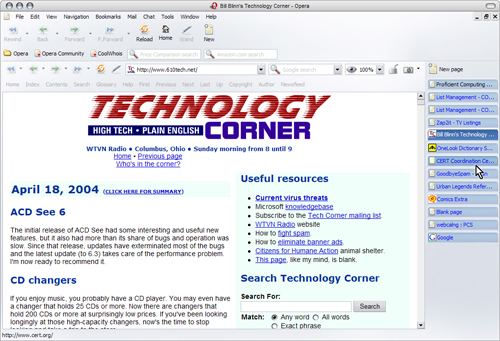 Opera's tabs
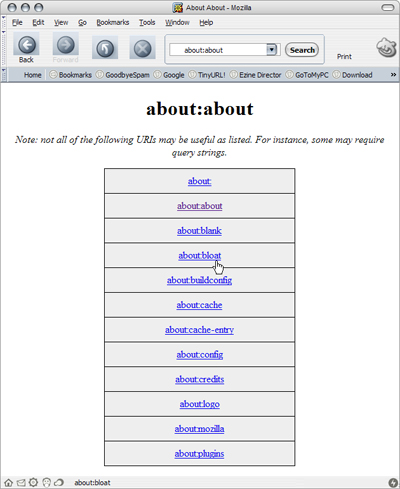 Mozilla's latest stable (1.6) version has significant improvements in the Gecko rendering engine. The result is even better compliance with standards and faster page loads.


